Understand.
See generation, grid imports, storage and consumption together. Understand where energy is available and where it is needed.
THE ENERGY OPERATION SYSTEM
Solar power, battery storage, EV charging and smart home. NexoWatt EOS brings your equipment together and coordinates generation, consumption and comfort.
01 / THE SYSTEM
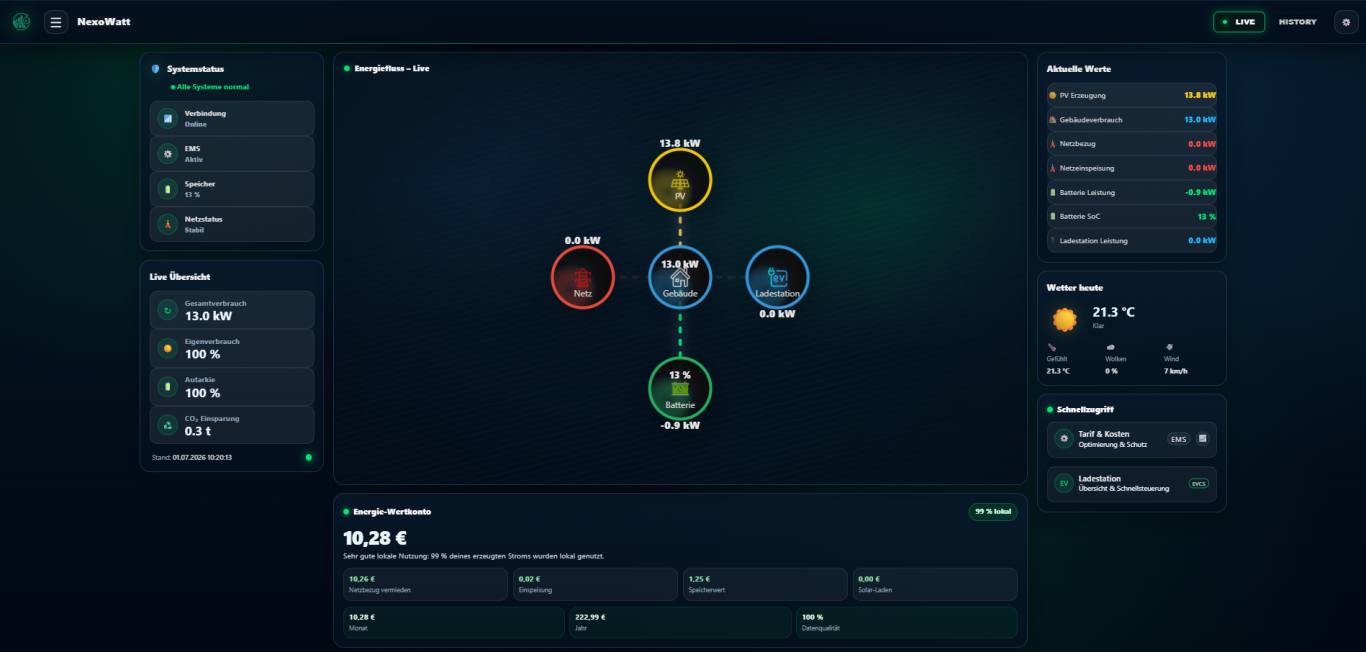
Our Energy Operation System brings energy flows and building functions under shared control, using measured data, your priorities and the capabilities of connected devices.
See generation, grid imports, storage and consumption together. Understand where energy is available and where it is needed.
EOS considers charging goals, priorities and configured power limits. Batteries, charge points and other loads work together.
Add suitable devices, apps and custom automations. Your system can grow with the needs of your home or business.
ENERGY MANAGEMENT AND NEXOWATT EOS
An energy management system (EMS) monitors and optimises energy flows. The equipment, automations and building functions it supports vary between products.
The complete original video in German. Start playback and use the player for sound and full screen. An English explanation follows below.
Open video separately ↗Depending on the system, capabilities may include monitoring, battery control, charging schedules, load management, forecasts and building integrations. EMS products can also offer open interfaces and modular extensions.
“Energy Operation System” describes our product approach. The term alone does not establish superiority over other EMS products. Required functions, suitable interfaces and the individual project configuration are what matter.
INSIDE NEXOWATT EOS
From everyday energy monitoring to setting up your installation: the different parts of your system come together in a shared interface.
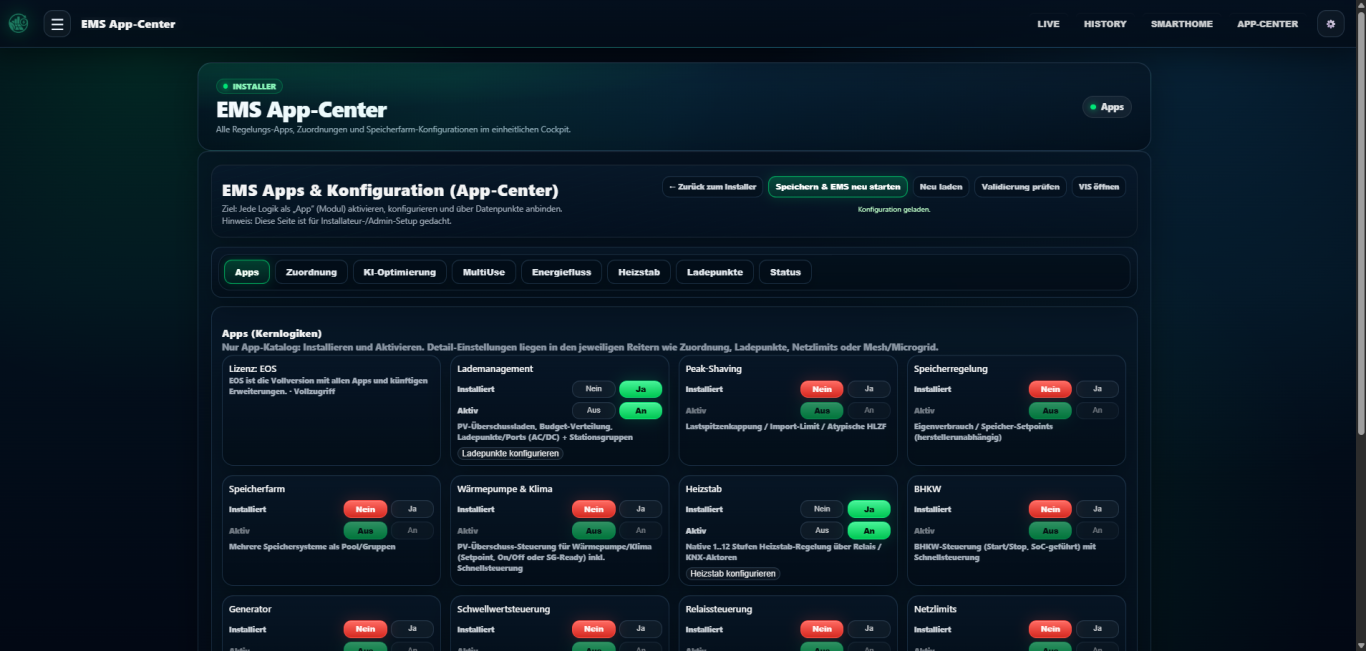
Choose and configure the apps your installation needs, from EV charging and battery control to building functions.
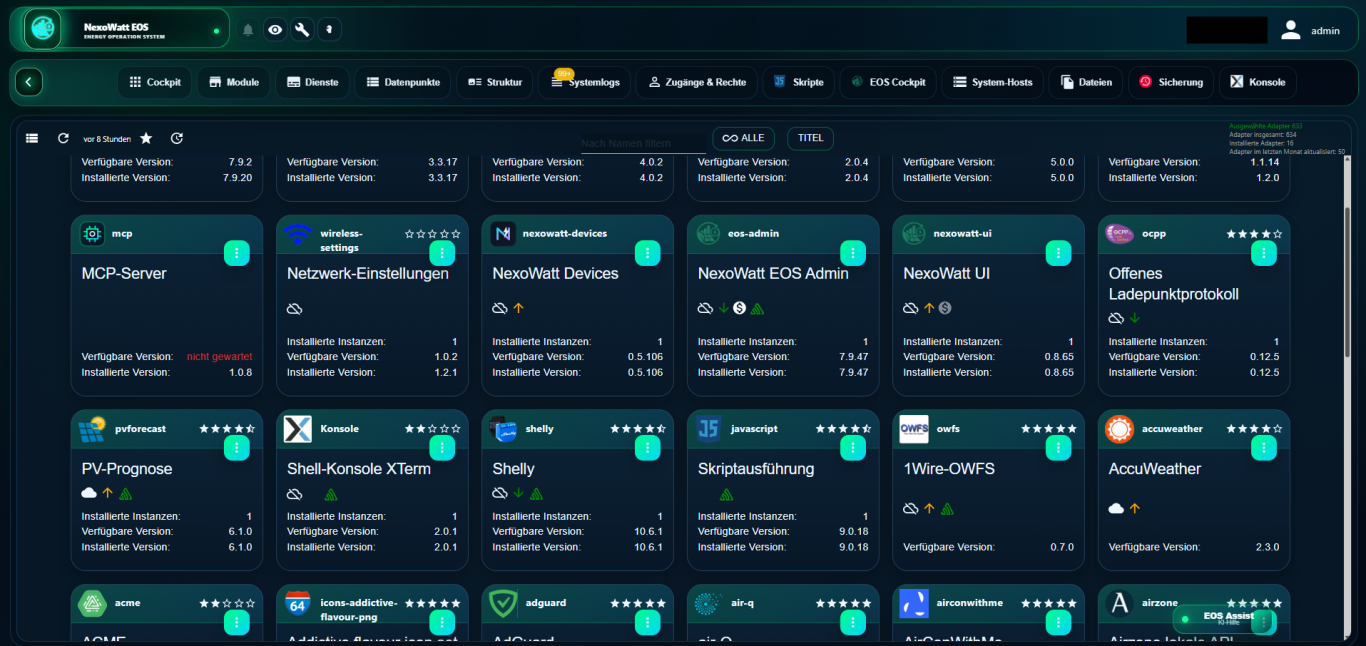
Manage modules, services and integrations in one place. EOS Admin brings together the tools for system setup and operation.
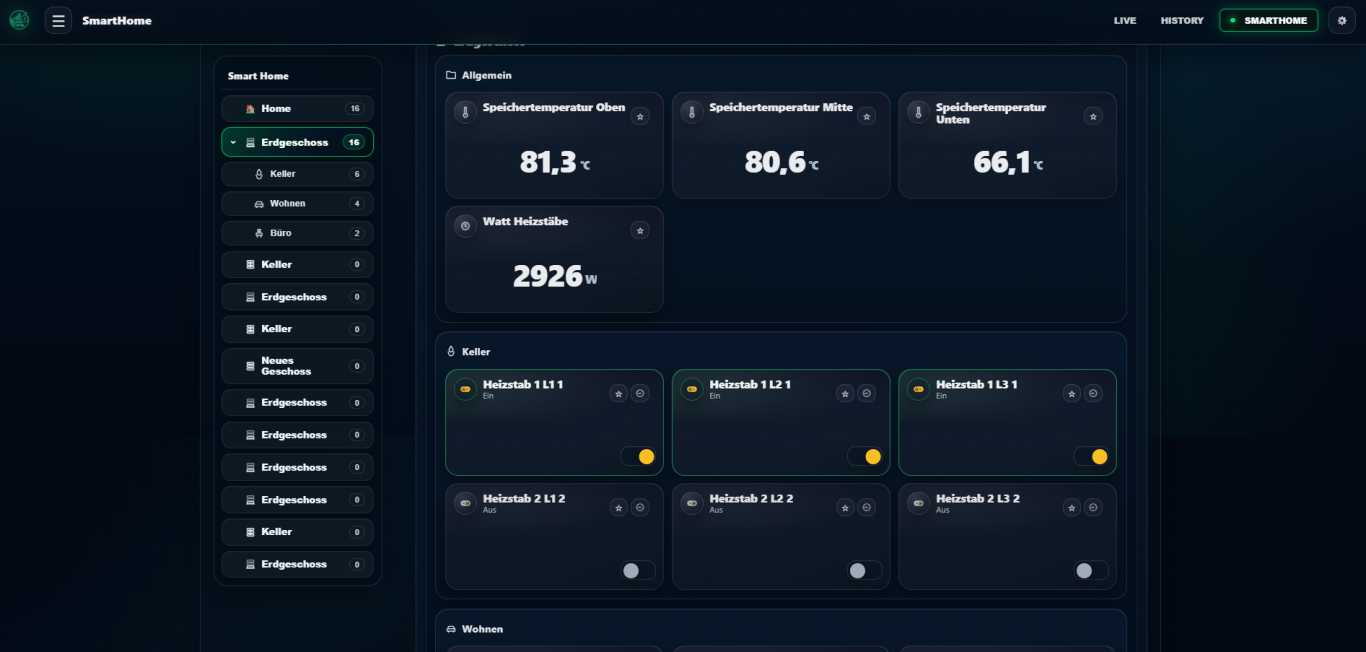
Bring temperatures, rooms, heating and switchable devices together with your energy management.
Original EOS screenshots showing a German interface. Readings, functions and appearance depend on the installation and software version. Select an image to enlarge it.
02 / THE FEATURES
From using solar power to coordinating several loads: EOS combines visibility with active control of compatible equipment.
Match generation with consumption. Direct available surplus to battery storage, your vehicle or suitable electrical loads.
Solar PV & self-consumptionControl charging and discharging of compatible batteries. State of charge, reserves and configured limits inform the control strategy.
Battery managementCharge with surplus solar, a minimum power level topped up by solar surplus, or a schedule. Control follows the selected mode.
Smart AC and DC chargingCoordinate multiple charge points and loads. Account for the configured grid connection limit and help reduce demand peaks.
Load management & peak shavingInclude available dynamic tariff data, time windows and PV forecasts in the operation of flexible loads and storage.
Tariffs & schedulesInclude suitable heat pumps, cooling systems, sensors and switchable devices. Create custom if-then rules for your building.
Smart home & building automation03 / YOUR APPLICATION
EOS Home and EOS Pro support different applications. Both editions are sold exclusively to business customers, including for their residential customer projects.
Use solar PV, battery storage, EV charging and building technology together, with clear information and everyday automation.
Bring storage, charging infrastructure and business loads together, with priorities that fit your operations.
Available functions depend on the edition, licence, equipment and project configuration. We check the required interfaces and prepare an individual proposal.
04 / CONNECT YOUR EQUIPMENT
EOS connects equipment from different manufacturers through suitable interfaces and modules. Available monitoring and control functions depend on the model, firmware and integration.
Your device is not listed? Send us the manufacturer, model and function you need. We will assess the options for an individual integration.
YOUR PROJECT WITH NEXOWATT
Are you a contractor or business customer? Tell us about your business and project. NexoWatt also offers service, configuration and commissioning for EOS. Assembly and electrical installation work are carried out separately by a suitable specialist contractor.
Your contact: Dominique Manteufel
Opens your email application. You send the enquiry yourself.